
📖 Table of Contents
Part 1: The World of Programming Around Us
Part 2: The Alphabet and Vocabulary of Programming
Part 3: Building Our First Programs
Part 4: Our Amazing Brain
Part 5: Creative Projects
Part 6: Programming in the Real World
Chapter 18 of 27
5: Creative Projects
Chapter 18: "Our Story with Choices"
After a busy day at the tech park, Alice and Professor Bit decided to relax at a cozy cafe nearby. Byte took a spot at the charging station, and Logic settled on the back of a chair.
— You know, Alice, — the Professor began, stirring tea, — everything we've learned about programming and the brain can be applied in creative projects. And today I want to suggest you create something special — an interactive story with a branching plot.
— Like gamebooks? — Alice perked up. — I've read one! There you had to choose what to do next and go to different pages depending on your choice.
— Exactly! — the Professor nodded. — Only we'll create a digital version of such a story using programming.
Вся наша жизнь — невидимый маршрут,
Где каждый шаг рождает новый вектор.
Куда твои решения ведут?
В какой из неразведанных проектов?
Налево шаг — и встретишь чудеса,
Направо шаг — и ждут тебя загадки.
Твой выбор направляет паруса,
Меняя мир в заложенном порядке.
И, словно ветви мощного ствола,
Растут сюжеты, множа варианты.
Твоя игра сегодня ожила,
Раскрыв в тебе незримые таланты!
The Professor pulled out a tablet and opened a simple text editor:
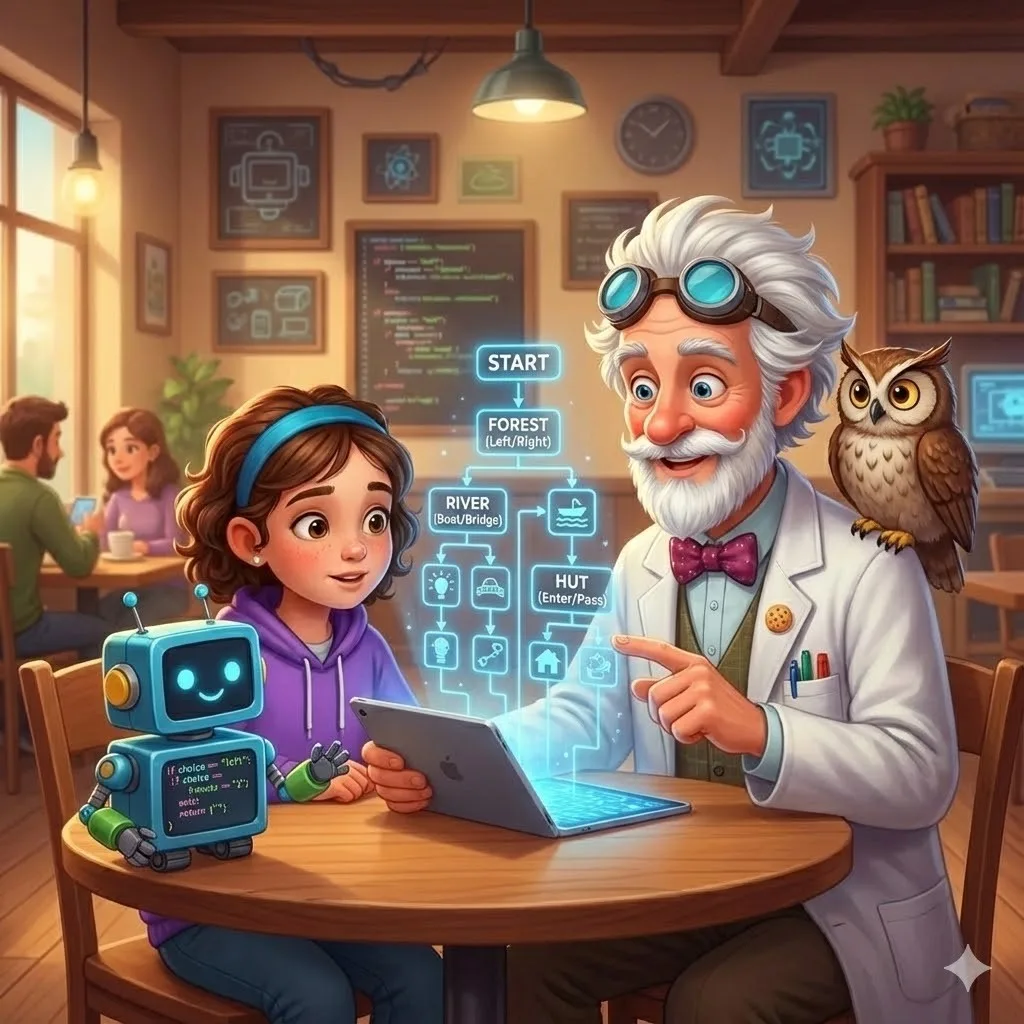
— Interactive stories are a great way to apply conditional structures we've studied. Remember how if-else conditions work?
— Yes! — Alice nodded. — If a condition is met, one action happens, and if not — another.
— Right, — the Professor smiled. — And in choice-based stories, these conditions determine how the plot will develop. Let's start with a simple example:
python
print("You stand at a fork in a dark forest. The path splits left and right.")
choice = input("Where will you go? (left/right): ")if choice.lower() == "left":
    print("You went left and came to a quiet river.")
    # Continuation of the story for the left path
elif choice.lower() == "right":
    print("You went right and discovered an old hut.")
    # Continuation of the story for the right path
else:
    print("You hesitated, not knowing where to go. Suddenly a wind rose...")
    # Continuation of the story for an uncertain choice
— Do you see how conditions work here? — the Professor asked. — Depending on user input, the story will follow one of three paths.
— What is .lower()? — Alice asked.
— Good question! — the Professor praised. — This is a method that converts text to lowercase. This way we can correctly process the answer, even if the user writes "Left" or "LEFT" instead of "left".
— How do we make the story longer? — Alice wondered. — After each choice, there should be new options.
— For this, we can use functions, — the Professor explained. — Each function will represent a separate "scene" of the story:
python
def start():
print("You stand at a fork in a dark forest. The path splits left and right.")
choice = input("Where will you go? (left/right): ") if choice.lower() == "left":
river()
elif choice.lower() == "right":
hut()
else:
wind()
def river():
print("You went left and came to a quiet river. You see a boat and a bridge.")
choice = input("What will you choose? (boat/bridge): ")
if choice.lower() == "boat":
boat()
elif choice.lower() == "bridge":
bridge()
else:
shore()
And so on for each scene...
— Ah, now I understand! — Alice exclaimed. — Each function is like a page in a gamebook. And depending on the player's choice, we move to different functions, like different pages.
— Exactly! — the Professor confirmed. — Our story can have many branches and endings. Here's a diagram of a simple story:
start
├── river
│   ├── boat
│   │   ├── island
│   │   └── current
│   └── bridge
│       ├── village
│       └── troll
└── hut
    ├── enter
    │   ├── friendly_witch
    │   └── angry_witch
    └── pass
        ├── mountain
        └── clearing
— Like a tree! — Alice noticed. — Each node is a choice, and branches are possible paths.
— Great comparison, — the Professor nodded. — And what's interesting is that such a structure resembles how our brain works when making decisions. We analyze possible options and their consequences before making a choice.
Byte rolled up to the table and showed code on his screen:
— And here's how you can add additional elements to the story — for example, a player inventory and checking for items:
python
inventory = []  # Empty list for player itemsdef hut():
    print("You approach an old hut. The door is slightly ajar.")    if "torch" in inventory:
        print("You have a torch, which makes entering dark places less scary.")
    else:
        print("It's dark inside, and you're a bit scared.")    choice = input("Enter the hut or pass by? (enter/pass): ")    if choice.lower() == "enter":
        if "torch" in inventory:
            print("You light the way with the torch.")
            friendly_witch()
        else:
            print("You stumble and make noise in the dark.")
            angry_witch()
    elif choice.lower() == "pass":
        print("You decide not to risk it and continue.")
        forknearhut()
    else:
        print("As you hesitate, the hut door suddenly opens...")
        encounterwithwitch()
— You see, — the Professor explained, — now the story depends not only on the player's current choice, but also on previous actions. If the player found a torch earlier, their encounter with the witch will be completely different.
— It's like cause-and-effect relationships in real life! — Alice noticed. — Our past decisions affect future events.
— Very accurate observation, — Logic approved. — Such stories teach analyzing consequences of choices and making responsible decisions.
— Can we add randomness to the story? — Alice asked. — So that not everything depends only on the player's choice?
— Of course! — the Professor nodded. — For this, we can use the random module:
python
import randomdef battle():
    player_health = 100
    monster_health = 80    print("You encountered a scary monster! A battle begins!")    while playerhealth > 0 and monsterhealth > 0:
        choice = input("What will you do? (attack/defend/flee): ")        if choice.lower() == "attack":
            player_damage = random.randint(10, 25)  # Random damage from 10 to 25
            monsterhealth -= playerdamage
            print(f"You deal {player_damage} damage to the monster!")            if monster_health > 0:
                monster_damage = random.randint(5, 15)  # Random damage from monster
                playerhealth -= monsterdamage
                print(f"The monster attacks you and deals {monster_damage} damage!")        elif choice.lower() == "defend":
            monster_damage = random.randint(1, 10)  # Reduced damage thanks to defense
            playerhealth -= monsterdamage
            print(f"You defend. The monster deals {monster_damage} damage.")        elif choice.lower() == "flee":
            escape_chance = random.random()  # Random number from 0 to 1
            if escape_chance > 0.7:  # 30% chance to escape
                print("You managed to escape!")
                forest()
                return  # Exit from battle function
            else:
                print("Escape failed! The monster attacks!")
                monster_damage = random.randint(10, 20)
                playerhealth -= monsterdamage
                print(f"The monster deals {monster_damage} damage!")        print(f"Your health: {playerhealth}, Monster health: {monsterhealth}")    if player_health <= 0:
        defeat()
    else:
        victory()
— Here we use random numbers to determine damage in battle and the chance of a successful escape, — the Professor explained. — This makes each playthrough of the story unique.
— You can also add counters, — Byte suggested. — For example, a friendliness level of characters towards the player, which will affect their behavior.
— Or experience points and levels, like in role-playing games, — Alice added.
— Great ideas! — the Professor praised. — Such mechanics make the story deeper and replayable. Now let's think about the structure of our own story.