
📖 Table of Contents
Part 1: The World of Programming Around Us
Part 2: The Alphabet and Vocabulary of Programming
Part 3: Building Our First Programs
Part 4: Our Amazing Brain
Part 5: Creative Projects
Part 6: Programming in the Real World
Chapter 8 of 27
2: The Alphabet and Vocabulary of Programming
Review this chapter
Chapter 8: loops — cards
Spaced repetition cards for this chapter
Sign in to practice
Chapter 8: "Loops: Carousel of Repetitions"
It was a sunny day, and Professor Bit suggested Alice visit an amusement park. When they approached the carousel, Alice watched with delight as it spun around and around.
— Look, the carousel! — Alice exclaimed. — It keeps repeating the same movement.
— Great observation! — the Professor nodded. — And this is a perfect example of what in programming is called a loop.
— A loop? — Alice asked again.
— Yes, a loop is a command that makes a computer repeat certain actions several times or until a certain condition is met, — the Professor explained. — Imagine you need to write a program that displays numbers from 1 to 5 on the screen.
The Professor pulled out his tablet and showed two versions of code:
python
Without using a loop
print(1)
print(2)
print(3)
print(4)
print(5)Using a loop
for i in range(1, 6):
    print(i)
— Both versions do the same thing, — he explained, — but with a loop, the code is shorter and easier to modify. For example, if we need to display numbers from 1 to 100, in the second case we just need to change one number.
Byte joyfully jumped:
— Loops are very useful when you need to repeat one action many times!
Толпятся льдины в берегах,
Освобождаясь от запрета.
Весна зелёным на снегах
Дорожек сеть плетёт для лета.
За летом осень разнесёт
По свету запах урожая.
Мир нескончаемо течёт,
Живые циклы совершая.
Вращает время карусель,
Бока планеты солнцем греет,
Меняя звёздную постель,
И холод делая теплее.
Тот бесконечный алгоритм
Даёт энергию машине,
Покорный код чеканит ритм,
Сменяет следствием причины.
Струится времени поток,
По лабиринтам дней стекая.
За «если» непременно «то»
Произойдёт, не иссякая!
Alice, the Professor, and Byte sat on a bench with ice cream and continued the conversation.
— In nature, we see many loops, — Logic noted, joining the company. — The change of day and night, seasons, phases of the Moon — all of these are natural loops.
— What kinds of loops are there in programming? — Alice wondered.
— There are two main types of loops, — the Professor replied. — A loop with a specified number of repetitions and a loop with a condition.
He showed on the tablet:
python
Loop with specified number of repetitions (for)
for i in range(5):  # Repeat 5 times
    print("This will execute 5 times")Loop with condition (while)
count = 0
while count < 5:  # Execute while count is less than 5
    print("This will also execute 5 times")
    count = count + 1
— In the first case, — the Professor explained, — we immediately specify how many times to repeat the action. In the second — we set a condition under which the loop should continue.
— Like on a carousel! — Alice guessed. — It spins a certain number of circles, then stops.
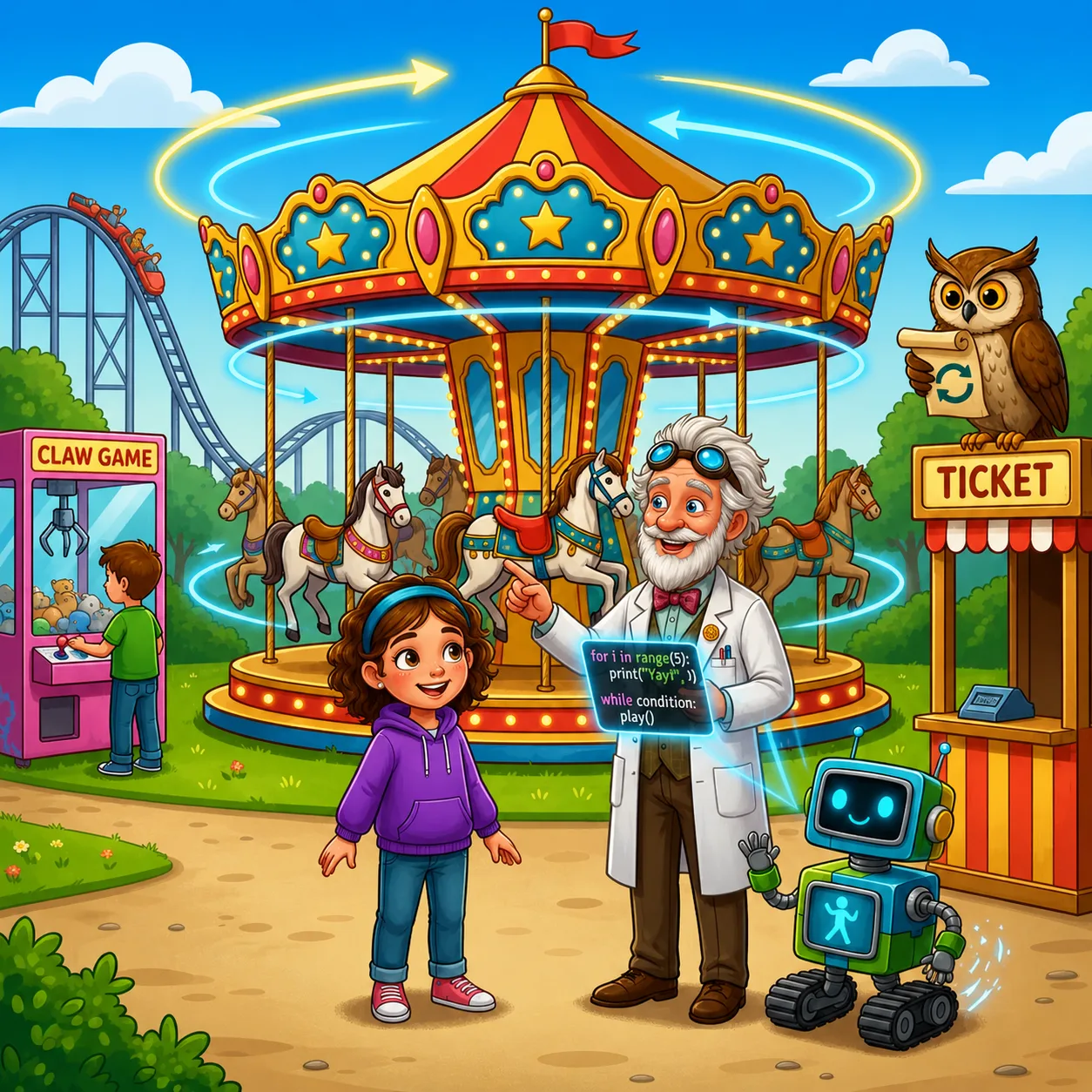
— Exactly! — the Professor confirmed. — And rain falls while there are rain clouds — that's an example of a loop with a condition.
Byte showed a cartoon character on his screen:
— Look, I can make him move using a loop:
python
for step in range(10):
    move_forward()
    if step % 2 == 0:  # If step number is even
        raise_hand()
    else:
        lower_hand()
— You see, — the Professor continued, — inside a loop there can be different commands, including conditions. This allows creating complex algorithms.
When they passed by a toy vending machine, Alice stopped:
— Look, a boy is trying to get a toy. He's already dropped a coin for the third time.
— This is like a while loop, — the Professor noticed. — He'll repeat attempts until he gets the toy or runs out of coins. In programming, this might look like this:
python
coins = 5
toy_got = Falsewhile coins > 0 and not toy_got:
toygot = trytogettoy()
coins = coins - 1
if toy_got:
print("Hurray! Success!")
else:
print("Alas, coins ran out...")
— What does step % 2 == 0 mean in the character example? — Alice asked.
— The % symbol is the "modulo" operation or remainder of division, — the Professor explained. — step % 2 gives the remainder when dividing the variable step by 2. If the remainder is zero, the number is even.
Byte added:
— This check allows doing different actions for even and odd steps. On even steps we raise the hand, on odd steps — lower it. So it turns out that the character waves his hand while moving.
— Loops can also be nested, — the Professor added. — That is, inside one loop there can be another.
python
Multiplication table
for i in range(1, 11):
    for j in range(1, 11):
        print(i, "x", j, "=", i*j)
    print("---")  # Separator between table rows
— Here the outer loop iterates through numbers from 1 to 10, and for each such number, the inner loop also iterates through numbers from 1 to 10, — he explained. — This creates a complete multiplication table.
— What happens if the loop never ends? — Alice asked.
— This is called an "infinite loop," — Logic replied. — In this case, the program will run forever until someone stops it.
— Sometimes infinite loops are created intentionally, — the Professor added. — For example, a computer's operating system runs in an infinite loop, constantly checking if the user has pressed a key or mouse button.
python
while True:
    checkuserinput()
    update_screen()
    wait(0.01)  # Small pause to save resources
— But more often infinite loops are a programmer's error, — the Professor warned. — For example, if you forget to increment the counter in a while loop:
python
count = 0
while count < 5:
    print("This will execute infinitely!")
    # Forgot to add count = count + 1
— In this case, count will always equal 0, and the condition count < 5 will always be true, — he explained. — The program will infinitely output the same message.
When they passed by a "Roller Coaster" attraction, Alice noticed:
— Look, the train moves along the same path again and again!
— Yes, many natural and mechanical processes are cyclical, — the Professor nodded. — But in programming, there's another important feature of loops — we can break a loop early or skip some iterations.
python
for i in range(10):
    if i == 5:
        break  # Break the loop if i equals 5
    print(i)  # Will output numbers 0, 1, 2, 3, 4for i in range(10):
    if i % 2 == 0:
        continue  # Skip iteration if i is even
    print(i)  # Will output numbers 1, 3, 5, 7, 9
— The break command completely breaks the loop, and continue skips only the current iteration and moves to the next, — the Professor explained.
Task
*

*

*
Hint: use a loop to control the number of rows, and another loop to determine the number of asterisks in each row.