
📖 Table of Contents
Part 1: The World of Programming Around Us
Part 2: The Alphabet and Vocabulary of Programming
Part 3: Building Our First Programs
Part 4: Our Amazing Brain
Part 5: Creative Projects
Part 6: Programming in the Real World
Chapter 7 of 27
2: The Alphabet and Vocabulary of Programming
Review this chapter
Chapter 7: conditions — cards
Spaced repetition cards for this chapter
Sign in to practice
Chapter 7: "Conditions: Crossroads on the Road"
The next day, Professor Bit invited Alice for a walk. They were walking through the park when the path suddenly split into two.
— Look, Alice, — said the Professor, stopping at the fork. — Where should we go next — left or right?
— I don't know, — Alice shrugged. — What's further there?
— If we go left, we'll reach a lake, and if right — a playground, — the Professor explained.
— Then let's go to the playground! — Alice decided.
— Excellent! — the Professor smiled. — You just used a condition to make a decision. In programming, conditions work the same way — they allow a program to choose different paths depending on circumstances.
Byte, rolling next to them, made a beep sound:
— In programming, this is written using the if-else construct:
if direction == "right":
    gotoplayground()
else:
    gotolake()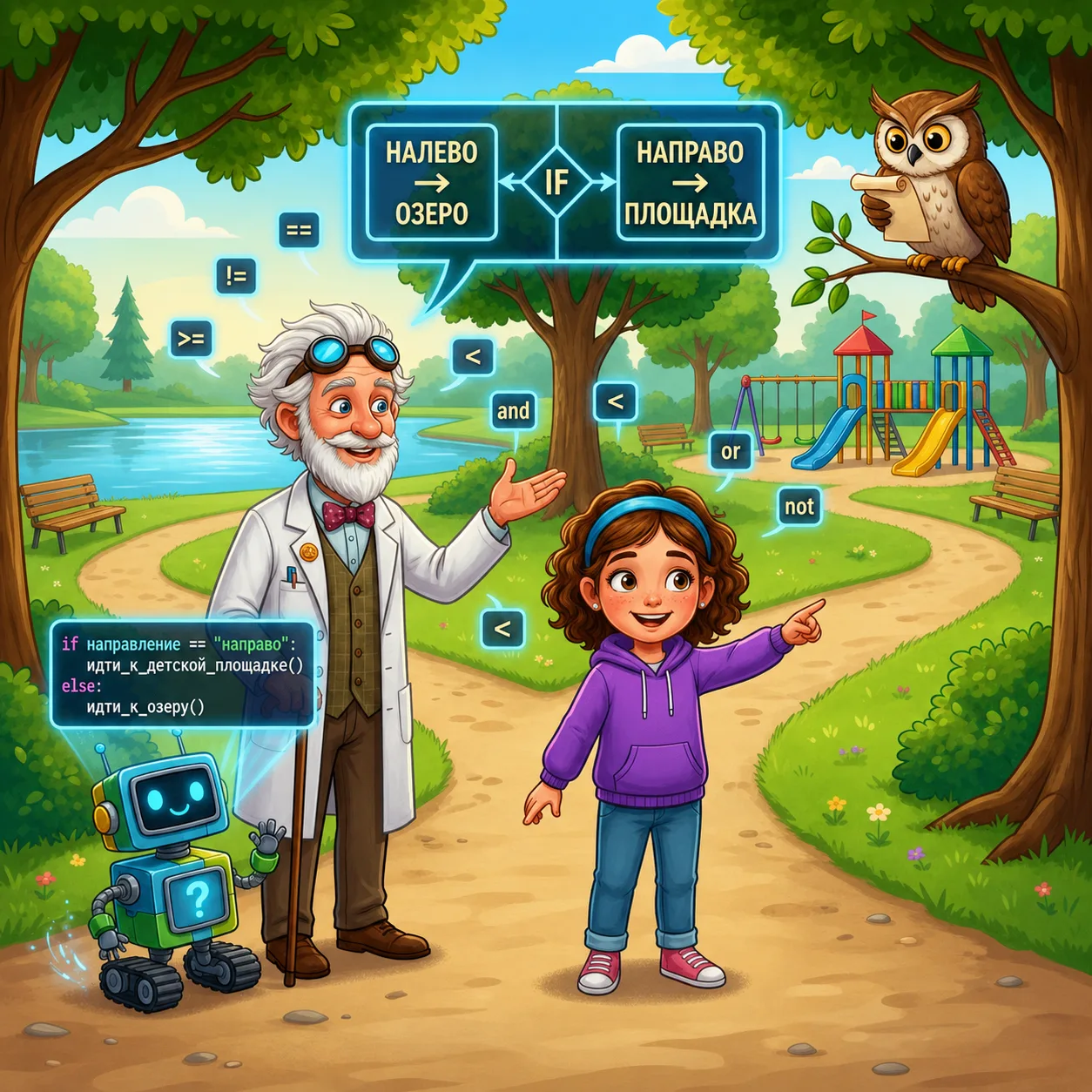
— So, — Alice thought, — the computer checks whether a condition is met, and depending on that, executes different commands?
— Exactly! — the Professor confirmed. — Conditions are like forks in the road. They allow the program to make decisions and act differently in different situations.
Вся жизнь — условий череда,
Набор границ и упрощений.
Мы выбор делаем всегда
В цепи бесчисленных решений:
Сжигаем, строим города.
Лишь попытавшись сосчитать
Пути, летящие из точки,
Из них возможно ткань сплетать,
Вплетая код в живые строчки,
Чтобы укрыться в ней — и ждать.
Реальность — вязь чужих идей,
Смешавшихся с пространством личным,
Чтоб было нам комфортно в ней,
В порядке строгом и привычном,
Встречать особенных людей.
They reached the playground and sat on a bench. The Professor pulled a tablet from his bag:
— Conditions in programming are based on logical expressions that can be either true (True) or false (False).
He wrote several examples:
5 > 3       # True, because 5 is indeed greater than 3
10 < 7      # False, because 10 is not less than 7
name == "Alice"   # True, if the variable name contains "Alice"
age >= 12   # True, if the variable age is greater than or equal to 12
— Look, here are the comparison operators we use:
== (equal)!= (not equal)> (greater than)< (less than)>= (greater than or equal)<= (less than or equal)— Professor, why is a double equals sign used to check equality? — Alice asked.
— Because the single equals sign = is already used for assigning values to variables, — the Professor explained. — To avoid confusion, a double sign == is used for comparison.
Logic, sitting on the back of the bench, added:
— Conditions can also be combined using logical operators:
and — true if both conditions are trueor — true if at least one condition is truenot — changes the condition value to the oppositeThe Professor wrote a few more examples:
if age >= 12 and height >= 140:
print("You can ride this attraction")
else:
print("Sorry, this attraction is not for you")if weather == "rain" or weather == "snow":
print("Take an umbrella")
else:
print("Umbrella not needed")
if not age >= 18:
print("Movie for adults only")
— Can we make more than two options? — Alice wondered. — Not just "if-else," but something else too?
— Great question! — The Professor showed a new example:
if age < 7:
    print("You go to kindergarten")
elif age < 18:
    print("You are a school student")
elif age < 25:
    print("You might be a student")
else:
    print("You are an adult")
— elif is short for "else if," which means "otherwise if," — he explained. — This way you can check conditions in a chain, and only the code block whose condition is true first will execute.
At the playground, Alice noticed a boy who was about to slide down:
— Look, he's checking a condition: "If the slide is wet, then I won't slide."
— Well noticed! — the Professor was pleased. — We constantly use conditional constructs in everyday life:
— Are there examples of conditions in nature? — Alice asked.
— Many! — Logic continued. — Plants turn toward the sun if it's shining. Bears hibernate if winter comes. Birds fly south if it gets cold.
Byte suddenly rolled up to Alice with a small game on his screen:
— Alice, want to play "Guess the Number"? I picked a number from 1 to 10.
— Five! — Alice guessed.
— Higher, — Byte replied.
— Seven!
— Lower.
— So, six!
— Correct! — Byte was pleased.
The Professor smiled:
— Byte is demonstrating a simple program with conditions. Here's what it looks like in code:
secret_number = 6if inputnumber > secretnumber:
    print("Higher")
elif inputnumber < secretnumber:
    print("Lower")
else:
    print("Correct!")
— Conditions make programs interactive, — the Professor continued. — They allow the program to react to user actions and adapt to different situations.
Task
if dayofweek == "Saturday" or dayofweek == "Sunday":
    wake_up = "9:00"
elif holidays == True:
    wake_up = "8:30"
else:
    wake_up = "7:00"
Add a few more of your own conditions, for example, weather, presence of important tasks, etc.